3D graphics are a core building block for immersive visualizations - they make it far easier to understand spatial relationships, explore complex structures, and interact with digital models in areas like simulation, design, robotics/UAV visualization, and 3D data analysis.
This example opens a dedicated 3D window and uses the built-in Three.js context to render a rotating cube with an animation loop and resize handling.
What this example demonstrates
-
Opening a standalone 3D rendering window via
openWindow3D() -
Creating a basic Three.js scene (camera + mesh + renderer)
-
Smooth animation using
renderer.setAnimationLoop(animate) -
Proper resize handling (updates aspect ratio + renderer size)
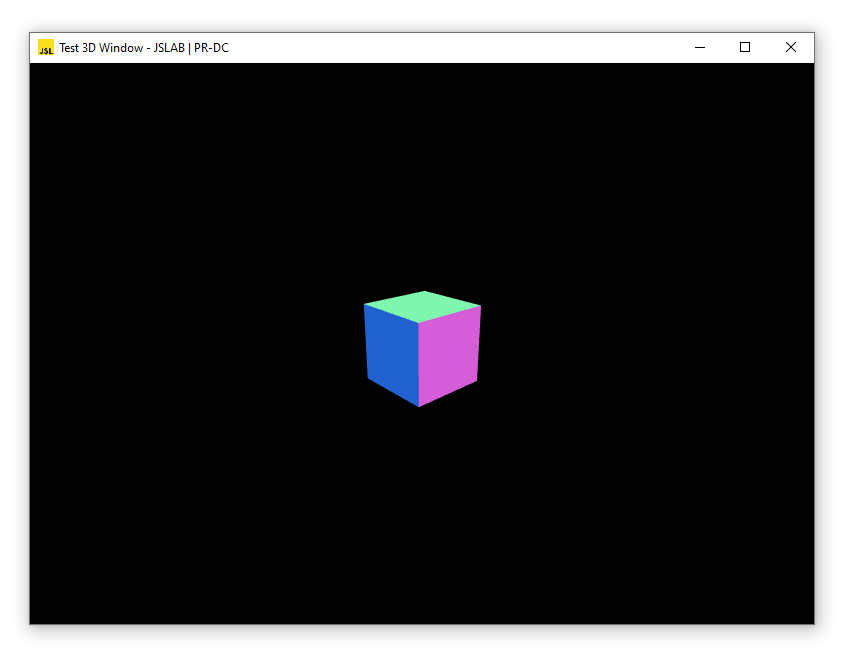
JavaScript Example
// 3D Graphics (Three.js) - rotating cube

var win = await openWindow3D();
win.document.title = "Test 3D Window - JSLAB | PR-DC";
var THREE = win.THREE;

const width = win.innerWidth, height = win.innerHeight;

// init camera
const camera = new THREE.PerspectiveCamera(70, width / height, 0.01, 10);
camera.position.z = 1;

// init scene
const scene = new THREE.Scene();

// create a cube
const geometry = new THREE.BoxGeometry(0.2, 0.2, 0.2);
const material = new THREE.MeshNormalMaterial();
const mesh = new THREE.Mesh(geometry, material);
scene.add(mesh);

// init renderer
const renderer = new THREE.WebGLRenderer({ antialias: true });
renderer.setSize(width, height);
renderer.setAnimationLoop(animate);
win.document.body.appendChild(renderer.domElement);

// Handle window resizing
window.addEventListener('resize', onWindowResize, false);

function onWindowResize() {
  camera.aspect = win.innerWidth / win.innerHeight;
  camera.updateProjectionMatrix();
  renderer.setSize(win.innerWidth, win.innerHeight);
}

function animate(time) {
  mesh.rotation.x = time / 2000;
  mesh.rotation.y = time / 1000;

  renderer.render(scene, camera);
}
Notes / Tips
-
MeshNormalMaterial()is handy for quick demos because it shades faces based on their normals (no lights required). -
If you plan to add UI overlays (text, HUD, plots), you can insert additional DOM elements into
win.document.body. -
For simulation-style scenes, you’ll typically expand this with:
-
lighting (
DirectionalLight,AmbientLight) -
a ground grid (
GridHelper) -
orbit controls / camera controls
-
model loading (GLTF/OBJ) and updating transforms in
animate()
-