Integrating FreeCAD into your application is a huge productivity boost when you need automated, precise 3D modeling: you can generate complex structures from data, update designs parametrically, and export consistent CAD models without manual clicking. This is especially useful for simulation pipelines, engineering design automation, and geometry generation from scripts.
This example shows a full workflow:
-
build a simple 3D frame (cube) from nodes and beam segments
-
export geometry definitions to JSON (
nodes.json,beams.json) -
start FreeCAD via
freecad_link -
run FreeCAD-side scripts (
MakeNodes,MakeBeams,MakeFusion) -
save the generated model
-
clean up temporary files
What this example demonstrates
-
Data-driven CAD generation (geometry comes from arrays, not manual sketching)
-
A clean file-based interface (JSON → FreeCAD scripts)
-
Automating an end-to-end flow: create → build → fuse → save
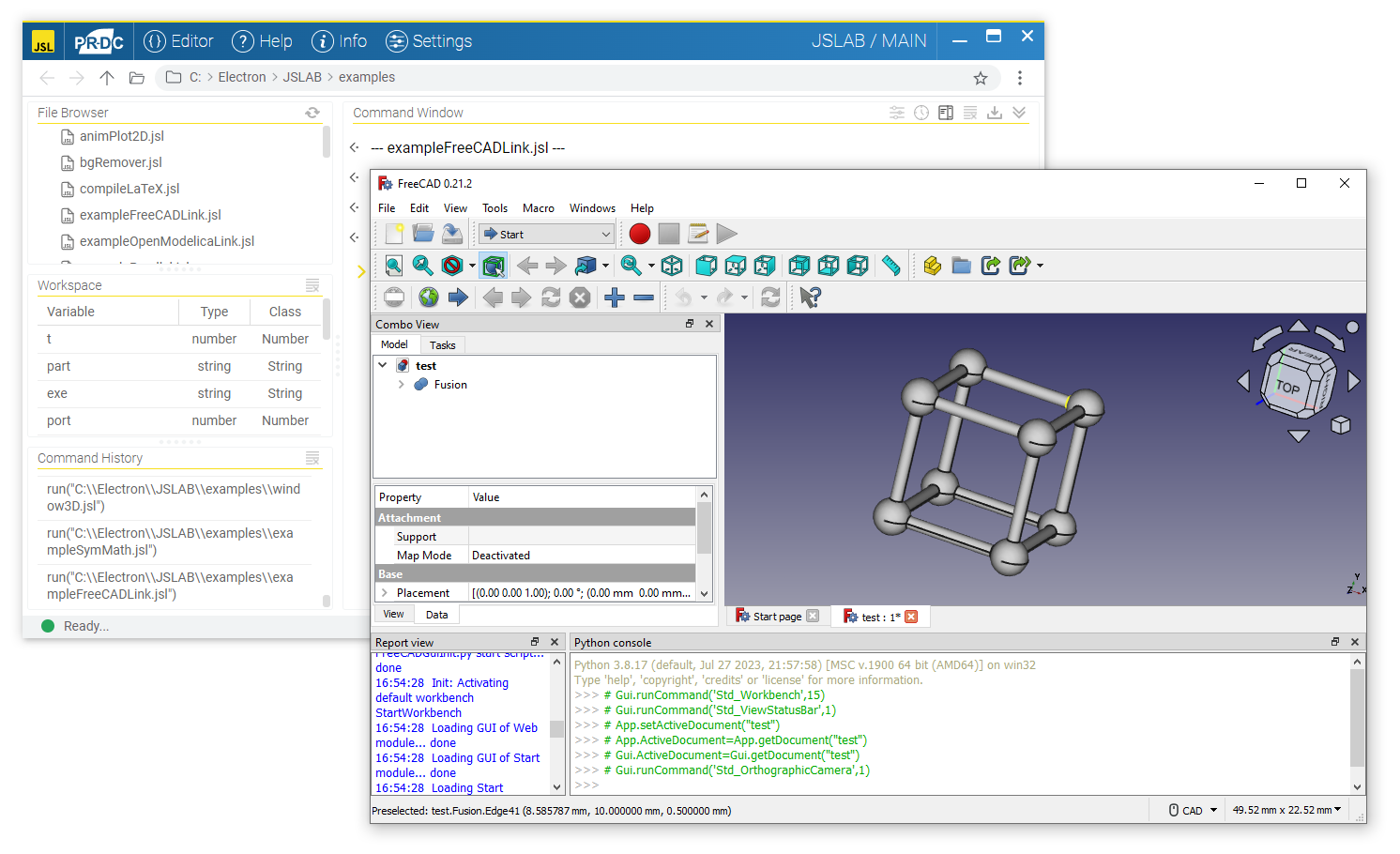
JavaScript Example
// FreeCAD Link - generate a simple frame (cube) using nodes and beams

var nodes = [
  [0, 0, 0],
  [0, 10, 0],
  [10, 10, 0],
  [10, 0, 0],
  [0, 0, 10],
  [0, 10, 10],
  [10, 10, 10],
  [10, 0, 10]
];

var D = createFilledArray(nodes.length, 3); // node diameters (example)

var lines = [];
for (var i = 0; i < 4; i++) {
  var j = i + 1;
  if (i == 3) j = 0;

  // bottom square
  lines.push([...nodes[i], ...nodes[j]]);
  // top square
  lines.push([...nodes[i + 4], ...nodes[j + 4]]);
  // vertical pillars
  lines.push([...nodes[i], ...nodes[i + 4]]);
}

var d = createFilledArray(lines.length, 1); // beam diameters (example)

// --- Generate JSON files ---
var nodesFile = pwd + "out/nodes.json";
var data = { Coordinates: nodes, Diameters: D };
writeFile(nodesFile, stringify(data));

var beamsFile = pwd + "out/beams.json";
data = { Coordinates: lines, Diameters: d };
writeFile(beamsFile, stringify(data));

// --- Run FreeCADLink ---
await freecad_link.start(exe, {
  port: port,
  host: host,
  timeout: timeout,
  startup_timeout: startup_timeout
}); // Start FreeCAD

await freecad_link.newDocument(part);

await freecad_link.callScript("MakeNodes", nodesFile, timeout);
await freecad_link.callScript("MakeBeams", beamsFile, timeout);
await freecad_link.callScript("MakeFusion", [], timeout);

await freecad_link.saveAs(model, timeout);
// await freecad_link.quit(); // Close FreeCAD (optional)

// --- Cleanup ---
deleteFile(nodesFile);
deleteFile(beamsFile);
Notes / Tips
-
The FreeCAD-side scripts (
MakeNodes,MakeBeams,MakeFusion) are where the CAD objects are actually created. JSLAB just supplies the geometry + parameters. -
The diameter arrays (
D,d) are a convenient way to control size per element (uniform or per-node/per-beam). -
For large models, consider batching or minimizing script calls (fewer round trips → faster generation).
-
Keeping
quit()optional is useful during development so you can inspect the generated document interactively.